Regular cleaning is not only a matter of aesthetics but also functionality.
A modern smartphone is not only a personal assistant and camera but also a "platform" for dirt, dust, and microbes that we transfer daily from our hands to the screen and body.
Experts recommend regularly cleaning the device to maintain its appearance and functionality. BGR has compiled a simple guide for a "deep clean" of your smartphone — from wiping the screen to caring for the ports.
Before any cleaning, be sure to turn off the device and disconnect all cables, cases, and accessories. This reduces the risk of accidental activation, moisture entering the device, or damage to the contacts.
Step 1 — Cleaning the Screen and Body
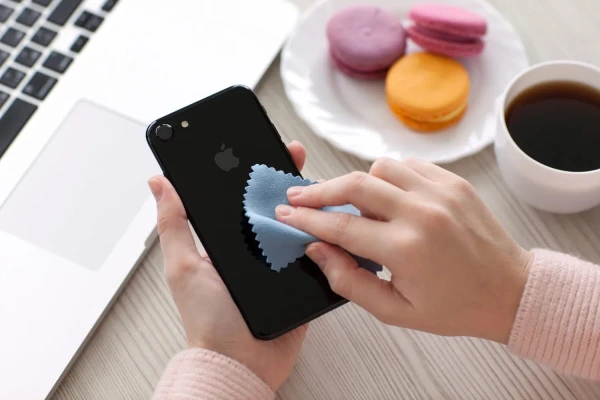
Experts advise using only a soft, lint-free microfiber cloth to wipe the screen, back panel, and side edges. It effectively removes dust and fingerprints.
For more stubborn stains, it is acceptable to use wipes with 70% isopropyl alcohol — but do not spray the liquid directly on the screen; instead, apply it to the cloth. Aggressive substances like bleach should not be used.
Regular wiping (for example, every week) not only makes your screen cleaner and more pleasant to use but also improves touch sensitivity and ensures the fingerprint scanner works correctly.
Step 2 — Caring for Ports and Speakers
Dust and dirt in USB-C ports, speakers, or audio jacks should be removed very carefully. Attempting to extract them with sharp objects (needles, paper clips, etc.) can lead to unfortunate results: damaged contacts, charging issues, or connection failures.
Specialists recommend using a dry, soft brush or a toothpick made of soft material to gently remove larger particles.
Ideally, it is better to use compressed air. A few short bursts of air directed into the port usually clear it of dust/debris and help avoid damaging the contacts.
By the way, to clean the speaker, you can use a special app that "pushes" foreign particles out. Some Android smartphones, such as Xiaomi, come with built-in speaker cleaning functions by default.
How Often Should You Clean Your Phone
Light wiping (removing fingerprints and dust) can be done daily. A deep clean with disinfection is needed as necessary, for example, after traveling or when the phone has been in a dusty environment.
Regular and safe cleaning of your smartphone helps not only keep it looking beautiful and tidy but also maintains the stable operation of all functions — from charging to sound. Follow these simple recommendations, and your gadget will last longer.